

Licensing Oracle Standard Edition 2 (SE2) on AWS and Azure
Many mid-market organizations run Oracle Database Standard Edition 2 (SE2) because it provides robust database functionality at a fraction of the cost of Enterprise Edition (EE).
However, when migrating these workloads to public clouds like Amazon Web Services (AWS) or Microsoft Azure, companies frequently fall into severe compliance traps due to Oracle's specific Authorized Cloud Environments licensing policies.
Here is what database leaders and cloud architects must know to license SE2 in the cloud safely.
☁️ The "Authorized Cloud Environments" Rules
Oracle does not apply its standard on-premises "Processor Core Factor Table" (the 0.5 multiplier for Intel/AMD processors) to public clouds. Instead, they publish a specific cloud licensing policy for AWS and Azure.
For Standard Edition 2 (SE2), cloud licensing is calculated based on vCPUs, which are mapped to "socket equivalents":
* Instance sizes with 4 or fewer vCPUs: Map to 1 Socket (requires 1 Oracle Processor license).
* Instance sizes with 5 to 8 vCPUs: Map to 2 Sockets (requires 2 Oracle Processor licenses).
🚨 The 8-vCPU Hard Ceiling
The most critical restriction in Oracle's cloud policy is the vCPU cap:
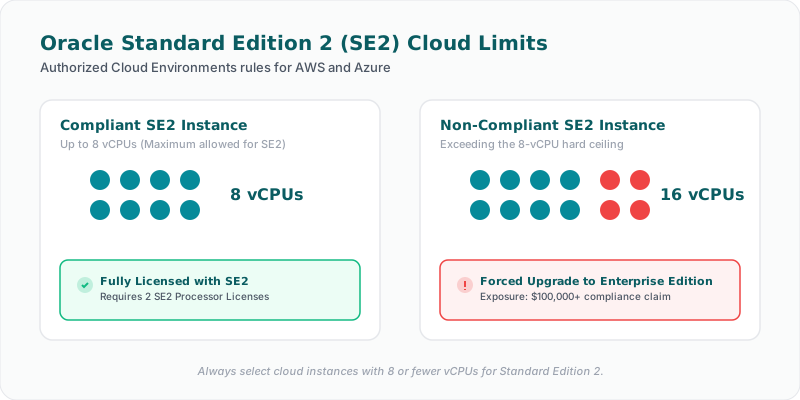
> Oracle Standard Edition 2 (SE2) databases may only be deployed on instances with a maximum of 8 vCPUs.
If you run SE2 on an instance with 16 vCPUs (such as an m5.4xlarge in AWS or Standard_D16_v5 in Azure):
1. You cannot license it with SE2 licenses.
2. During an audit, Oracle will declare the installation unlicensed and force you to buy Enterprise Edition (EE) licenses for that instance capacity.
3. Because EE is priced at ~$47,500 per processor license (multiplied by the core count rules), this single misconfiguration can result in an immediate licensing claim exceeding $100,000+.
👥 Named User Plus (NUP) Cloud Minimums
If you choose to license SE2 on AWS or Azure using the user-based metric (Named User Plus):
* You must maintain a minimum of 10 NUP licenses per 8 vCPUs (or 10 NUP licenses per instance if it is smaller).
* Just like on-premises licensing, you must document and verify every human and device connection to ensure you don't exceed your entitlements.
🛡️ Best Practices for Cloud Database Compliance
1. Hard-Code Instance Size Limits in Terraform / Cloud Templates
Prevent database administrators from deploying database servers on oversized instances. Restrict cloud provisioning templates (Terraform, CloudFormation) for Oracle SE2 hosts to instances with 4 or 8 vCPUs only.
2. Implement Continuous vCPU Discovery
In dynamic cloud environments, instances can be resized during performance troubleshooting. Implementing a continuous monitoring tool that queries cloud provider APIs and database configurations ensures that any resize operation that violates the 8-vCPU cap is immediately flagged.
🚀 How Licencify Protects Your Cloud Estate
Licencify’s local Collector automatically scans your public cloud deployments (AWS and Azure), identifying the exact database edition (SE2 vs. EE) and correlating it with instance metadata (vCPU counts). If an SE2 database is discovered running on a vCPU count greater than 8, Licencify triggers an immediate compliance warning on your SaaS dashboard, enabling you to downsize the instance before an auditor finds it.
Planning a cloud migration? Contact our licensing team today to map your Oracle database sizing and ensure compliance.
Facing an active Oracle or SQL Server Audit?
Verify database parameters and virtualization host boundaries locally without raw data uploads. Download our secure gateway.